eCommerce / Photo Printing / Personalised Products
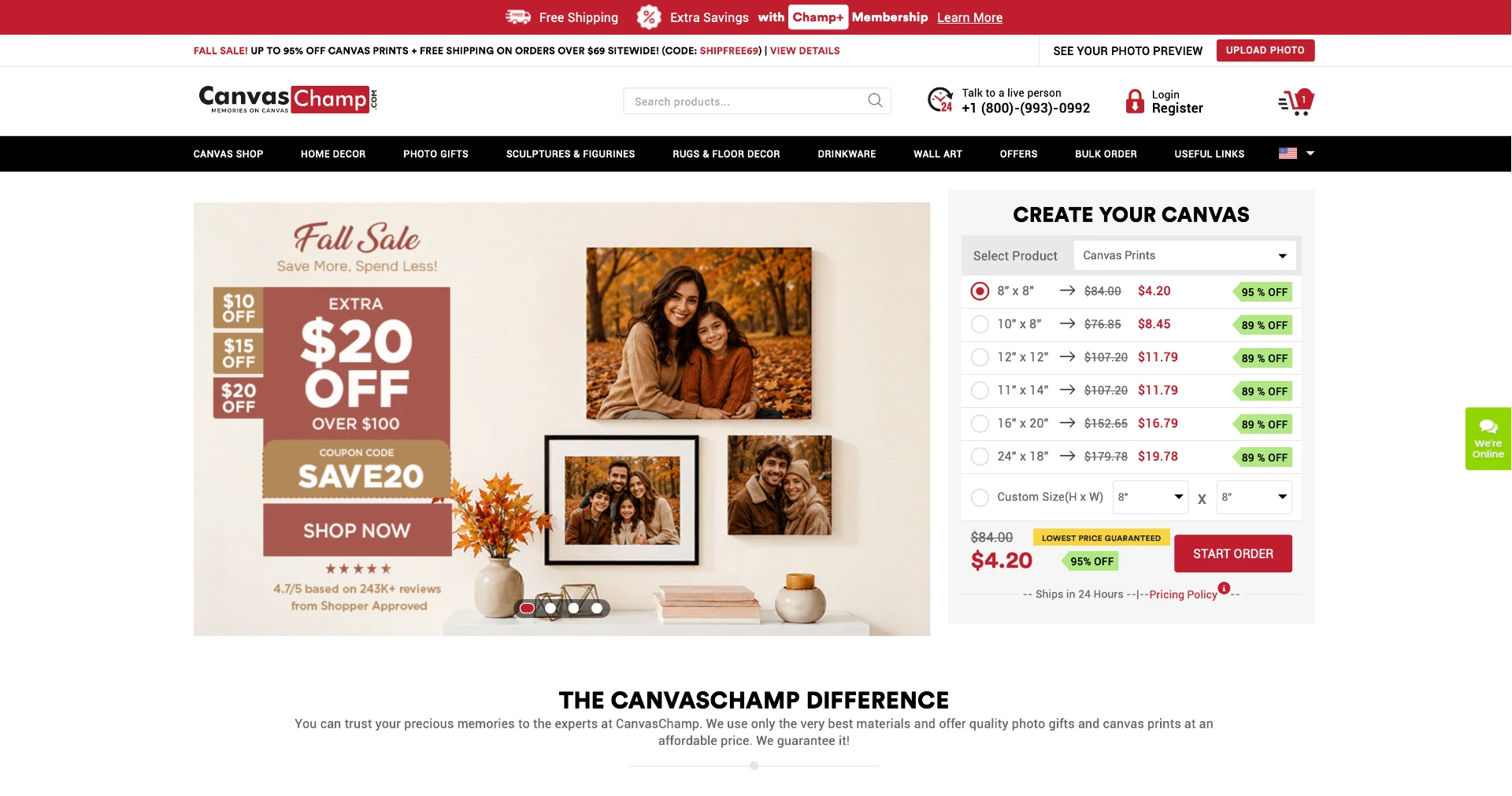
CanvasChamp — Personalised Printing and Customisation Platform
A large catalogue, photo uploads, cropping, configurations and promotions had to coexist in one coherent purchasing journey.
- Role
- UI/UX Technical Leader, Design Lead and Team Mentor
- Team
- In-house design team, developers, marketers, testers and business stakeholders
- Timeline
- February 2017 – August 2026
- Status
- Live
Summary
The 30-second read
What this project was and what I did — for anyone reviewing quickly.
CanvasChamp is an ecosystem of personalised products with different sizes, materials, image requirements, layouts, finishing options, promotions and responsive behaviours.
As the catalogue grew, the challenge became maintaining clarity without redesigning the experience independently for every category.
My work focused on reusable patterns, clearer upload and editing behaviour, responsive consistency and stronger design-development collaboration.
My responsibility expanded into mentoring designers, reviewing work, supporting implementation and protecting interface quality across continuous releases.
Context
Where the product came from
Background, audience and the situation the design entered
CanvasChamp combines a large catalogue, photo uploads, image cropping, product configurations, promotions and responsive purchasing journeys. Over years of continuous work, Komal led ongoing UX improvements, created reusable patterns, prepared developer-ready designs, performed UI quality reviews, collaborated across departments and mentored designers. Her work supported clearer customisation experiences and greater product consistency.
Who uses it
People turning personal photographs into printed products — families, gift buyers and small businesses — with widely varying image quality, device capability and confidence.
“At catalogue scale, the pattern is the product. Individual screens come and go.”
Problem
The problem worth solving
What was working against the journey, for the business and the user
A large catalogue, photo uploads, cropping, configurations and promotions had to coexist in one coherent purchasing journey.
Business pressures
- Consistency across a broad and continuously growing catalogue
- Promotions and pricing surfaced without overwhelming the product
- Design throughput sustained across many parallel product lines
User pressures
- Uploading and cropping photos without losing print quality
- Understanding size, material and finish choices
- Carrying a personalised item confidently through to checkout
Friction in the journey
- Upload and crop steps interrupting momentum
- Configuration patterns differing between product categories
- Promotional messaging competing with product decisions
- Long configuration paths on small screens
Research
Research and diagnosis
Where the evidence came from and what it revealed
- Ongoing usability reviews of live purchase journeys
- Recurring themes gathered from support and business teams
- Comparative reviews across product categories to find inconsistencies
- UI quality audits after each release cycle
Insights
What the research changed
The insights that shaped every design decision that followed
At catalogue scale, the pattern becomes part of the product
Customers should not relearn the interaction model whenever the physical product changes.
Design implication — Reuse predictable configuration logic while preserving genuine product-specific differences.
Upload status must be explicit
Uploading is the moment a customer’s personal content enters the product.
Design implication — Show progress, success, failure, quality issues, replacement and crop states clearly.
Editing belongs inside the buying journey
Cropping and positioning are configuration decisions, not a separate task.
Design implication — Keep editing connected to product, format, preview and purchase progression.
Promotions should support the decision
Commercial messages matter, but they should not interrupt every configuration step.
Design implication — Give offers a consistent, contained place in the hierarchy.
Journey
The user journey
The path the design had to carry, and the structure behind it
- Choose a product
- Upload photos
- Crop and position
- Configure size, material and finish
- Review
- Apply promotions
- Checkout
Information architecture
- Category and product browsing
- Product detail and configuration
- Photo upload and editing
- Cart, promotions and checkout
- Help, delivery and quality guidance
Primary user flow
- Product selection
- Upload
- Crop and adjust
- Configure options
- Preview
- Add to cart
- Apply offer
- Checkout
Design decisions
How the design answers the problem
The decisions, the reasoning behind them, and what changed
Reusable configuration patterns
Shared option, upload and preview patterns so every category behaves the same way, whatever the product.
Editing where it belongs
Cropping and adjustment kept inside the buying flow instead of pushing people into a separate tool.
Quiet promotions
Offers presented in a consistent, contained slot so they inform rather than interrupt.
Developer-ready handover
Specifications and states documented up front, then verified through UI quality reviews.
Before → after
Before
Category-by-category differences in configuration, upload and messaging patterns.
Upload pending
After
A shared pattern language that keeps behaviour predictable across the catalogue.
Upload pending
Move the slider to weight the before or after description.
Responsive design
One journey, every screen size
How the same decisions survive from phone to desktop
- Mobile-first upload and crop interactions designed for touch
- Option layouts that reflow without hiding critical information
- Consistent component behaviour from phone to large desktop
Collaboration
Working with engineering and the business
Design was not complete at handoff — it continued through implementation
- Daily collaboration with developers, marketers, testers and stakeholders
- Design reviews and mentoring for designers across levels
- UI quality assurance during and after implementation
Leadership
Leadership contribution
How the role raised the quality of the product and the team
- Led the design team as Design Lead and mentor from 2017 onwards
- Established review rituals that raised baseline quality
- Balanced urgent delivery with long-term consistency
Accessibility & QA
Accessibility and quality checks
What was checked, and what validation is still planned
Accessibility checks
- Form fields with real labels, help text and error states
- Keyboard-operable configuration controls
- Contrast-checked promotional and status messaging
- Status never communicated by colour alone
Validation still required
- Formalising the pattern library into a documented design system
- Usability testing focused on upload and crop steps
- Defining measurement for configuration drop-off
Measurement
Success Metrics & Projected Impact
How the redesign should be judged — defined as a framework, not claimed as results
Because historical production analytics were unavailable, I created a normalised 100,000-session funnel model to define how the redesign should be evaluated rather than presenting estimated improvements as measured results.
+6 pp
Image upload completion
78% → 84%
+4 pp
Customisation completion
62% → 66%
+3 pp
Checkout completion
54% → 57%
+0.4 pp
Mobile purchase conversion
2.4% → 2.8%
−3 pp
Checkout abandonment
46% → 43%
+14%
Projected purchase volume / 100K sessions
3,047 → 3,473 purchases
Scenario-based estimates used to define success criteria; historical analytics were unavailable. These are measurement targets, not verified production results.
Supporting measurement targets
- Upload completion 78% → 84%, driven by clear upload states, image-quality feedback and error recovery.
- Customisation completion 62% → 66%, through simpler option selection, clearer progress and less configuration uncertainty.
- Add-to-Cart after customisation 70% → 71%, which together with better completion projects roughly 690 extra cart additions per 100K sessions.
- Cart abandonment 64.9% → 62.9%, by making shipping costs, promotions and totals visible earlier.
- Coupon failure 12% → 9%, payment errors 7% → 5.5%, and support contacts 10 → 9 per 100 orders as diagnostic measures.
- Upsell adoption 18% → 21%, evaluated only alongside purchase completion and AOV.
Combined across the funnel, these changes correspond to roughly 3,047 → 3,473 purchases per 100,000 sessions — about 14% more completed purchases, and around 19% higher projected revenue when paired with an AOV moving from $68 to $71.
Outcome
What changed
What was designed, shipped and put in place for the future
- Clearer customisation experiences across the catalogue
- Greater product and pattern consistency
- A design team growing in independence and craft
- Faster, more reliable handover between design and engineering
Evidence note: outcomes described here are qualitative. Historical production analytics were unavailable, so any figures in the measurement section are scenario-based success criteria rather than measured results.
Learnings
What this project taught me
Principles carried into the next piece of work
- At catalogue scale, patterns matter more than individual screens.
- Mentoring multiplies design quality faster than reviewing alone.
- Consistency is a leadership practice, not a documentation exercise.