Formerly SakshamPath
Accessible EdTech / Social Impact
Edusight — Accessible Learning Progress System
Teachers supporting visually impaired children aged 6–14 lacked a connected way to record progress, identify skill gaps and decide the next learning step.
- Role
- UX Researcher, Product Designer and Team Collaborator
- Team
- Multidisciplinary project team with teachers as research participants
- Timeline
- Ongoing engagement
Summary
The 30-second read
What this project was and what I did — for anyone reviewing quickly.
Teachers supporting visually impaired children were already adapting lessons and observing progress, but evidence remained distributed across memory, paper records, messages and separate resources.
Primary and secondary research shifted the project away from another content library toward a skill-based progress loop.
The product helps a teacher record an observation, identify a gap and choose the next learning step without adding a long administrative task.
The result is a live hackathon product and a focused direction that still requires validation with teachers over time.
Context
Where the product came from
Background, audience and the situation the design entered
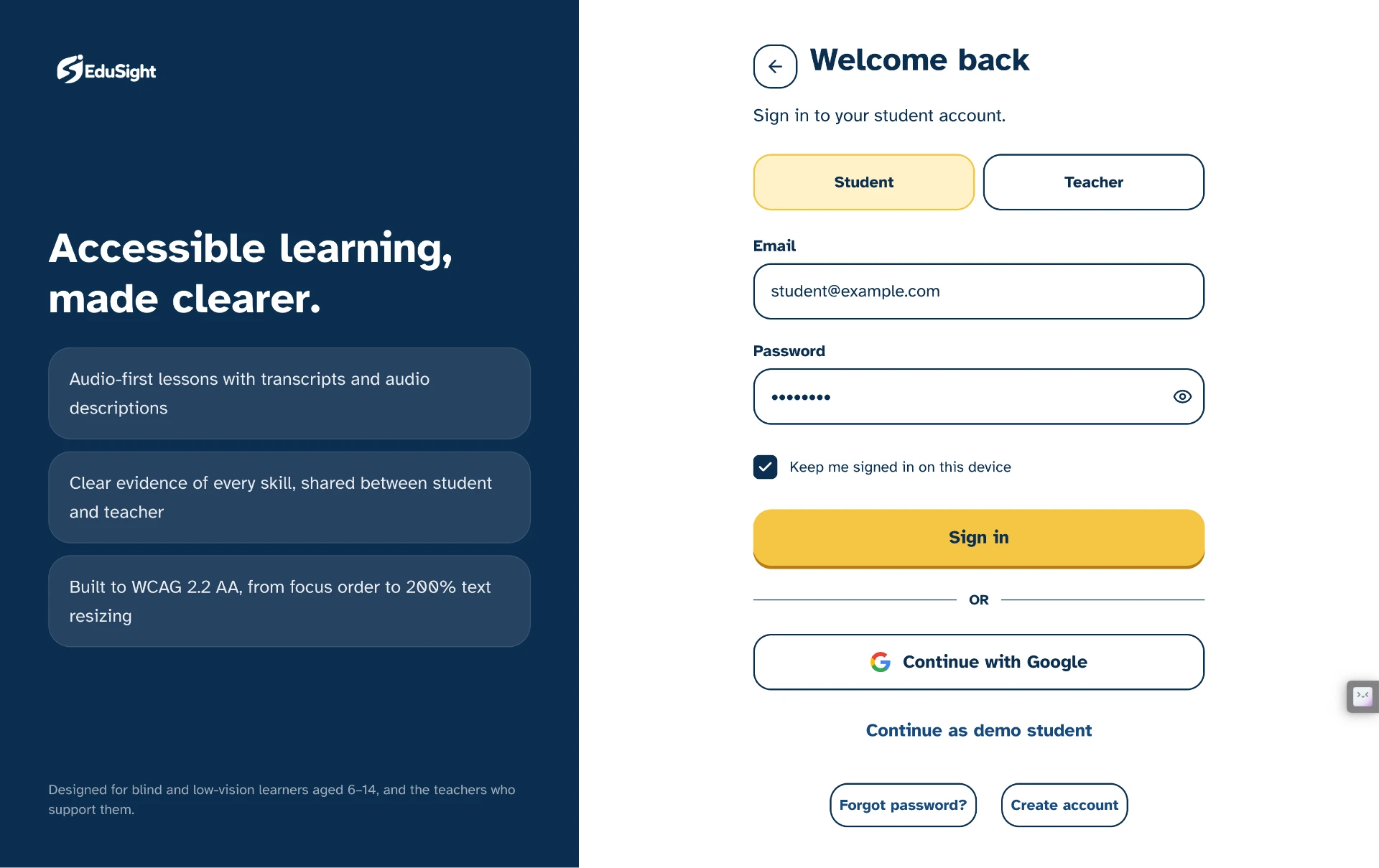
Edusight (formerly SakshamPath) is a live product that helps teachers of visually impaired children track skill-based progress in a connected, accessible way. The team conducted field and secondary research, and developed personas, journey maps, information architecture, user flows and accessibility principles that shaped a product centred on skill-based progress tracking — now shipped and in use.
Who uses it
Teachers and special educators supporting visually impaired children aged 6–14, often recording observations on paper between lessons, with limited time and shared devices.
“Designing for teachers means designing for interruption — every task must survive being paused.”
Problem
The problem worth solving
What was working against the journey, for the business and the user
Teachers supporting visually impaired children aged 6–14 lacked a connected way to record progress, identify skill gaps and decide the next learning step.
Business pressures
- Designing for a low-resource, high-responsibility context
- Making progress legible to schools and families without adding admin burden
- Creating a direction that can be validated before it is built
User pressures
- Recording observations quickly during and between lessons
- Seeing which skills a child has and has not developed
- Knowing which learning step should come next
Friction in the journey
- Observations lost between lessons
- No connected view of a child's skill history
- Deciding the next step from memory rather than evidence
- Progress difficult to share with colleagues and families
Research
Research and diagnosis
Where the evidence came from and what it revealed
- Field research with teachers working in this context
- Secondary research on skill-based learning progression and accessible education
- Personas representing teachers with differing experience and resources
- Journey mapping of the current, largely paper-based practice
Insights
What the research changed
The insights that shaped every design decision that followed
Skill-based, not score-based
A percentage cannot explain what a child can actually do.
Design implication — Organise progress around concrete skills and respectful states: Mastered, Developing and Needs Support.
Recording must fit between teaching moments
Teachers cannot complete lengthy forms after every interaction.
Design implication — Make updates quick, interruption-tolerant, resumable and structured enough to compare later.
Accessibility shapes architecture
Semantics, reading order, keyboard use, language and zoom are product requirements.
Design implication — Define accessibility before visual styling, not as final-stage QA.
Observation must lead to action
Tracking has value only when it helps a teacher decide what to do next.
Design implication — Build the product around observe → record → identify gap → guide → assess → update.
Journey
The user journey
The path the design had to carry, and the structure behind it
- Observe
- Record
- Identify gap
- Select next step
- Guide learning
- Review progress
Information architecture
- Child profiles
- Skill framework and progress levels
- Observation records
- Suggested next steps
- Progress review and sharing
Primary user flow
- Open child profile
- Record an observation
- System surfaces the skill gap
- Teacher selects the next step
- Guide the learning activity
- Review progress over time
Design decisions
How the design answers the problem
The decisions, the reasoning behind them, and what changed
Skill-based, not score-based
Progress is expressed as concrete skills observed, which matches how teachers already think and talk.
Recording in seconds
Capturing an observation is designed as a short, interruption-tolerant task, not a form-filling session.
Accessibility principles first
Structure, semantics, contrast and non-visual operability were defined as principles before any interface was drawn.
The loop is the product
Observe → record → identify gap → select next step → guide → review is the backbone of the whole system.
Before → after
Before
Disconnected paper notes with no shared view of a child's skill history.
Upload pending
After
A connected loop in the live product that turns each observation into a clear next learning step.
Upload pending
Move the slider to weight the before or after description.
Responsive design
One journey, every screen size
How the same decisions survive from phone to desktop
- Designed for shared, modest devices rather than latest hardware
- Layouts that hold up at large text sizes and 200% zoom
- Short task screens suited to use between lessons
Collaboration
Working with engineering and the business
Design was not complete at handoff — it continued through implementation
- Worked as researcher and designer within a multidisciplinary team
- Shared research synthesis to align the team on direction
- Kept teachers' realities at the centre of every decision
Leadership
Leadership contribution
How the role raised the quality of the product and the team
- Guided research synthesis and design direction
- Advocated for accessibility as a non-negotiable requirement
- Helped the team translate field insight into product structure
Accessibility & QA
Accessibility and quality checks
What was checked, and what validation is still planned
Accessibility checks
- Accessibility principles defined as a project foundation
- Semantic structure and logical heading order
- Full keyboard and screen-reader operability as a requirement
- Content readable at 200% zoom without horizontal scrolling
Validation still required
- Usability testing of the live product with teachers
- Iterating on the skill framework against real classroom practice
- Measuring adoption and defining what evidence confirms impact
Outcome
What changed
What was designed, shipped and put in place for the future
- A researched product direction centred on skill-based progress tracking
- Personas, journey maps, information architecture and user flows
- A documented set of accessibility principles
- Shipped as Edusight — live and in use by teachers
Evidence note: outcomes described here are qualitative. Historical production analytics were unavailable, so any figures in the measurement section are scenario-based success criteria rather than measured results.
Learnings
What this project taught me
Principles carried into the next piece of work
- Designing for teachers means designing for interruption.
- Accessibility principles set early shape structure, not just styling.
- A clear loop is easier to validate than a broad feature set.